
💬 Make sure you join our Discord community and Signal channel for information on all of our latest drops & customer support!
📮 Same day shipping on all orders placed before 11:30AM PST, Monday - Saturday.
📦 FREE UPS 2nd Day shipping on all orders over $200+ Select that option at check out.
📦 FREE USPS Ground shipping on all orders over $100+ Select that option at check out.
Stay Under the Radar: How to Take Control of Your UPS Deliveries with My Choice Premium
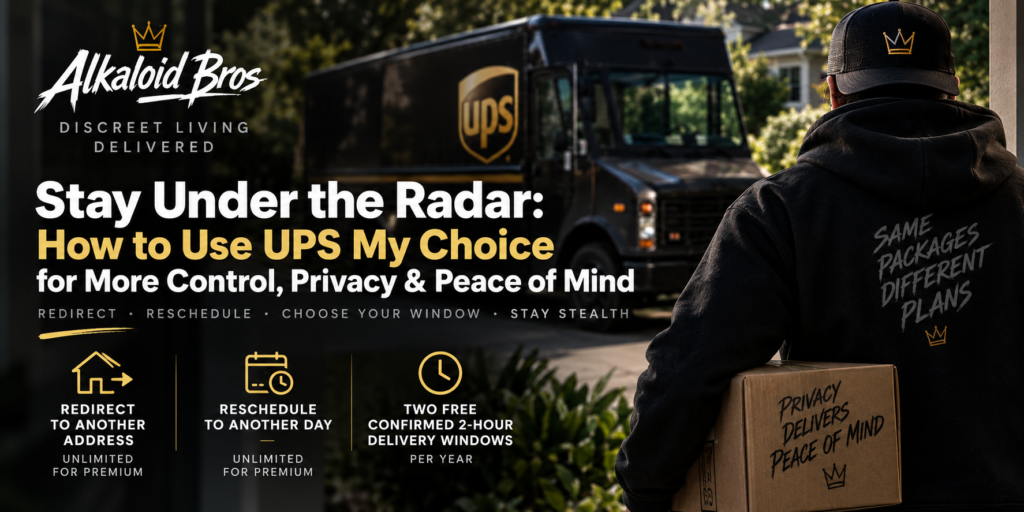
If you’re part of the Alkaloid Bros community, there’s a good chance you appreciate a little privacy. Maybe you don’t want packages sitting on the porch all afternoon. Maybe you’d rather have something delivered on a day when you know you’ll be home. Or maybe you want the ability to redirect a package somewhere else after it has already shipped.
There’s a surprisingly useful tool for that: UPS My Choice Premium.
And before you roll your eyes at the thought of another subscription, this one is different: it’s $19.99 for the entire year — not $19.99 per month.
For roughly $1.67/month, Premium gives you considerably more control over eligible UPS deliveries, including:
- Unlimited delivery changes to another address
- Unlimited rescheduling to another delivery day
- Two free confirmed 2-hour delivery windows per year
- Plus the regular My Choice features like delivery alerts, estimated delivery times, proof-of-delivery photos and package visibility.
UPS normally charges Basic members $9.99 to change the delivery day, $14.99 to deliver a package to another address and $14.99 for a confirmed 2-hour delivery window. Premium includes unlimited eligible delivery-day and address changes plus two confirmed windows annually. Additional transportation charges can still apply when redirecting outside the original delivery area.
Why We Like It: Keep Your Deliveries Low-Key
We know our community.
Sometimes you just don’t want a package sitting outside all day announcing to everyone walking past that you’ve got a delivery. Maybe you’re at work, sharing a house, traveling, or simply prefer to grab your packages on your own terms.
My Choice gives you another layer of control after your package is already in the UPS system.
Once UPS associates an incoming shipment with your My Choice account, you’ll see it in your Delivery Planner and can manage the options UPS makes available for that particular shipment. UPS notes that certain shippers or shipment types can restrict delivery changes, so not every option will necessarily appear on every package.
Stealth Move #1: Redirect Your Package to Another Address
Plans change. Your delivery address doesn’t necessarily have to.
Premium members can redirect eligible domestic packages to another address without paying the normal delivery-change fee each time. This can be handy if there’s another location where you’d rather receive a particular shipment.
How to do it:
- Open the UPS app or log into your UPS My Choice dashboard.
- Find the incoming package.
- Select Delivery Options.
- Choose the option to deliver the package to another address.
- Enter the alternate delivery information.
- Review the change and confirm it.
That’s it.
Keep in mind that UPS says additional transportation charges can apply if the new address is outside the original delivery area. Also, if you don’t see Delivery Options, the shipper may have restricted changes for that shipment.
Stealth Move #2: Change the Delivery Day
This might be our favorite feature.
Let’s say tracking shows your package arriving Wednesday, but you’re going to be gone all day Wednesday.
Instead of letting it sit outside, move the delivery to Thursday.
Premium includes unlimited eligible delivery rescheduling to another day without the normal per-package delivery-change charge.
How to do it:
- Open UPS My Choice.
- Select the incoming shipment.
- Tap Delivery Options.
- Choose the option to deliver your package on another day.
- Select an available future delivery date.
- Confirm your request.
Now you can plan the package around your schedule instead of planning your schedule around the package.
Stealth Move #3: Pick a Confirmed 2-Hour Delivery Window
Sometimes “Out for Delivery” isn’t quite enough.
UPS may provide an estimated delivery window, but Premium members also receive two confirmed 2-hour delivery window requests each year.
So when there’s a delivery you specifically want to be around for, this is the feature to use.
How to do it:
- Open the shipment in UPS My Choice.
- Select Delivery Options.
- Look for the Confirmed Delivery Window option.
- Select an available 2-hour window.
- Confirm your request.
- Be there during your selected window and intercept that brown truck like a professional.
UPS says the 2-hour window is selected from within the original estimated delivery window. The option generally becomes available two days before the scheduled delivery date through the morning of delivery. Premium includes two of these requests per year; additional requests have a fee.
IMPORTANT: Add Every Address You Regularly Use
This is one of the most important parts of setting up My Choice.
UPS automatically attempts to match packages moving through its network with your My Choice profile. If the information on your shipment doesn’t match what UPS knows about you, the package might not automatically appear in the app.
If you legitimately receive packages at multiple addresses, add those eligible addresses to your My Choice preferences.
UPS specifically states that if you have more than one address associated with your membership, deliveries going to those addresses can appear in your Delivery Planner, and addresses can be added through your My Choice preferences.
To check your addresses:
- Sign into your UPS account.
- Open your UPS My Choice preferences.
- Review the addresses associated with your membership.
- Add the eligible addresses where you regularly receive packages.
- Complete any verification UPS requires.
UPS may require address verification before providing all My Choice functionality for a new address or membership.
Don’t Forget About Name Variations
Here’s another thing worth checking if some of your packages aren’t appearing automatically.
Make sure your My Choice profile accurately reflects the name information UPS uses to identify your deliveries. For example, packages could legitimately arrive using variations such as:
Mike Smith
Michael Smith
UPS uses name-and-address information as part of matching incoming packages with My Choice accounts. So keeping your profile information accurate and adding supported household/member information where appropriate can improve your chances of seeing your eligible deliveries automatically. Only add names or household members you’re authorized to manage.
The goal is simple: the more accurately your legitimate delivery information matches your My Choice profile, the easier it is for UPS to recognize which packages belong in your Delivery Planner.
Bonus: Send Packages to a UPS Access Point
For maximum porch avoidance, don’t overlook UPS Access Point locations.
Eligible My Choice packages can be redirected to participating UPS Access Point locations for pickup rather than being delivered to your home. UPS says Access Point locations can generally hold packages for up to seven calendar days at no additional holding charge.
That means your package can be waiting somewhere secure instead of sitting outside waiting for you.
To redirect an eligible shipment:
- Open the shipment in My Choice.
- Select Delivery Options.
- Choose the option to redirect it to a UPS Access Point.
- Select an available location.
- Confirm the change.
- Wait for UPS to tell you the package is ready for pickup.
- Bring the identification or other pickup information UPS requests.
It’s another great option for anyone who would rather pick up a package when it’s convenient.
$19.99 PER YEAR — Not Per Month
This deserves repeating.
UPS My Choice Premium currently costs $19.99 for an entire year.
Not $19.99/month.
$19.99/year.
UPS currently charges Basic members as much as $14.99 for a single delivery-to-another-address request and $14.99 for a single confirmed delivery window. So if you’re someone who regularly manages UPS deliveries, it doesn’t take many changes before Premium starts making sense.
The membership automatically renews annually at the then-current rate unless you cancel.
Set It Up Before You Need It
Our biggest recommendation is don’t wait until you have a package arriving tomorrow to set this up.
Create your UPS My Choice account, get your address verified, add the legitimate addresses and household information you use, download the UPS app and turn on your delivery notifications.
Then when your next order hits the UPS network, you’ve got options.
Redirect it.
Move the delivery date.
Choose a tighter delivery window.
Send an eligible package somewhere you can pick it up.
Or just keep an eye on it from the app.
Your package. Your schedule. Your business.
Stay discreet, Bros. 🥷📦

Comments are closed